AI in Practice · Turning a chat experiment into something my AI can run on every recording.
Automating my first video edit
- ✓ Cut the silences (Part 1)
- ✓ Clean the audio (Part 2)
- ☐ Make it repeatable ← this part
Here's a trap I didn't see coming with AI automation. After a lot of back-and-forth, an AI agent and I had built a pipeline that does the boring first edit of my videos: it cleans the audio to Final Cut's standard and cuts out every pause, leaving a timeline I can still adjust. It worked. But it only existed inside one long chat. Every setting, every check and every lesson was buried in three days of conversation.
The next time I record a video, a fresh session wouldn't know any of it. A pipeline that only works inside one chat window isn't automation yet. This part is about making it repeatable: fixing the last flaw, then writing the whole thing down as a skill my AI agents can run on every recording.
Previously
- Part 1, The Silences: auto-editor now cuts my pauses into a timeline I can still adjust in Final Cut Pro.
- Part 2, The Sound: FFmpeg now cleans the audio as well as Final Cut does, after a calibrated robot listener named what my ears couldn't.
- Rules carried forward: the frame rate must never change, and any new judge gets checked against an answer I already know.
- Left open: three stray clips still sitting in the timeline.
The last fix: three blips
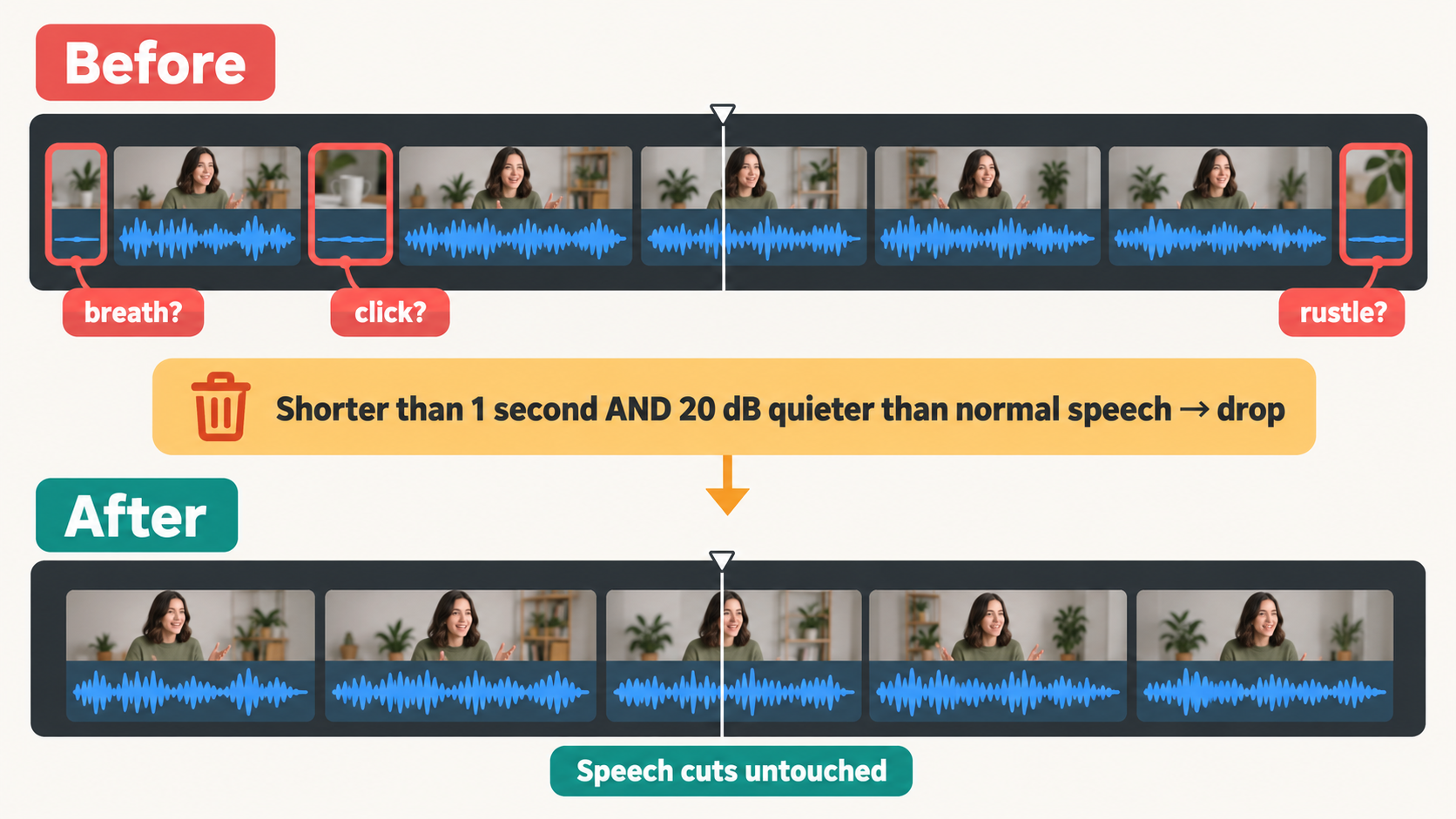
Three tiny clips had survived the cut, each about a third of a second long: most likely a breath, a mouth click and some rustle. They were 25 to 35 dB quieter than any real word.
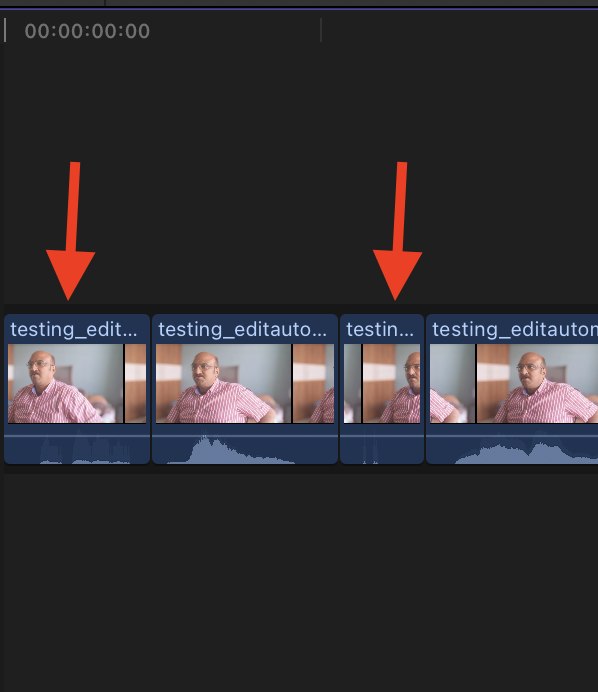
The obvious fix was to raise the threshold, the loudness line below which everything counts as silence. That removed the blips, but it also trimmed the endings off real words and split a sentence in two. One setting controls every cut in the video, so nudging it to fix three clips changed the good cuts too.
So the fix works on whole clips instead: any clip shorter than a second whose loudest moment is more than 20 dB below my normal speaking level gets dropped. That rule caught exactly those three and nothing else.
This one passed with the best verdict an automation can get: "this is the best."
A global setting is a blunt instrument. When a problem is small and specific, fix it at the level where it lives.
Turning the experiment into a skill
With the last flaw fixed, it was time to get the pipeline out of the chat, and write it down in a form an AI agent can follow on its own.
Both of my coding agents, Claude Code and Codex, support skills: a saved playbook with instructions, scripts and reference notes that the agent follows whenever a matching task comes up. Ours is called raw-to-rough-cut. It contains:
- the exact audio cleanup that passed the headphone test
- the 10-frame pause rule and the blip rule
- a script that checks its own work: the picture must be untouched, the audio must be in sync and at the right loudness, and every cut must land exactly on a frame
- gates where the agent has to stop and wait for me
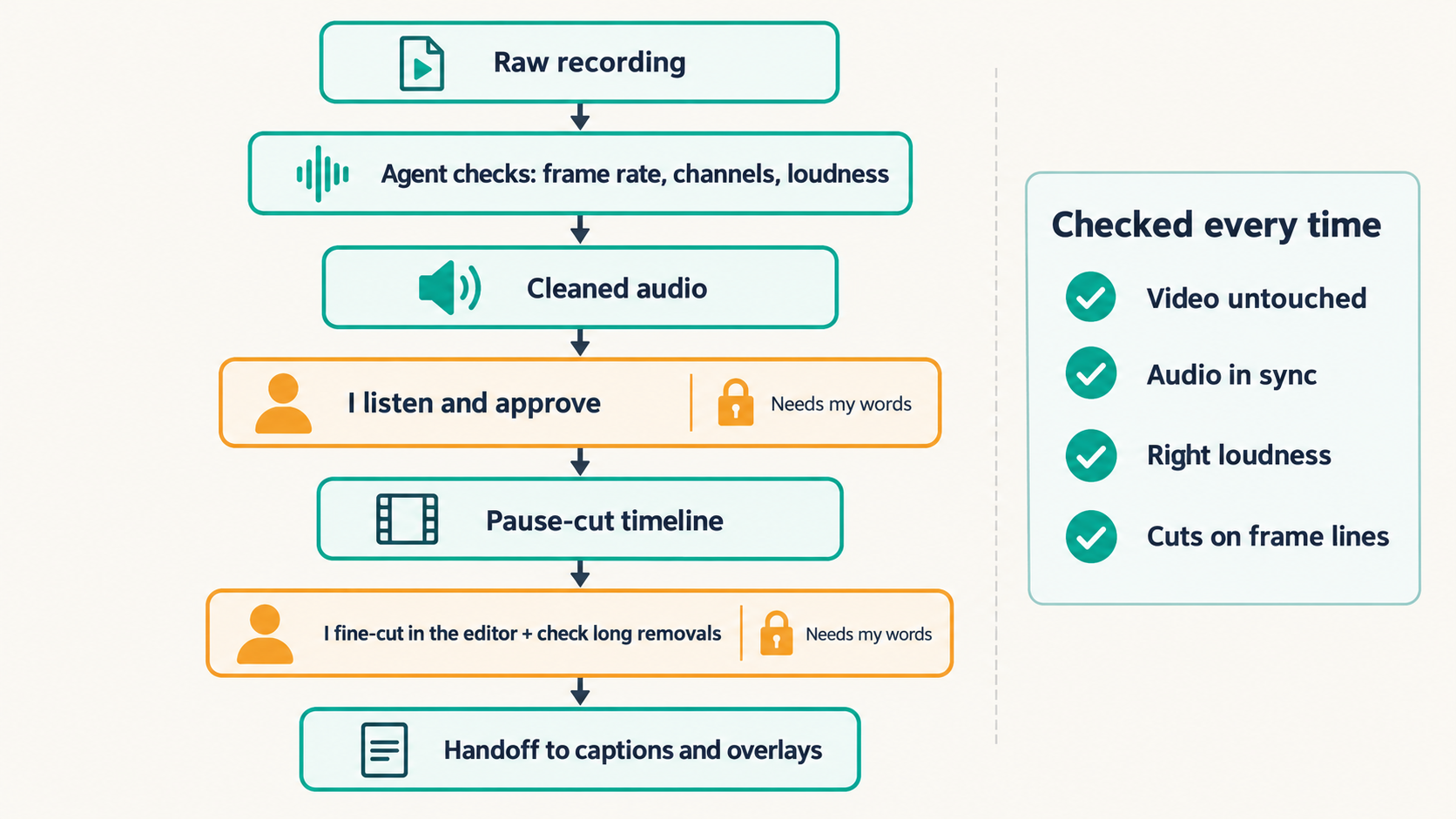
The gates matter more than they look. The agent can't record my approval unless I've actually given it, quoted in my own words, and it can't skip a step by editing its own progress file. If a file changes after I've approved it, the check fails.
python3 rough_cut.py init  my_recording.mp4
python3 rough_cut.py clean <state.json>        # then I listen
python3 rough_cut.py approve-audio <state.json> --evidence "sounds right"
python3 rough_cut.py cut   <state.json>        # then I review in Final Cut
Closing the loops from Parts 1 and 2
The rules and lessons from the earlier parts became checks, so I don't have to remember them.
The blind spot. In Part 1, a run quietly cut about 7.5 minutes of me silently typing and watching an agent work, because a tool that decides by listening can't see the screen. The skill still can't see my screen, but it no longer hides what it removed. Every cut longer than 20 seconds is listed with its start and end time, so I can check those stretches by eye before I approve the timeline.
The frame rate. Part 1's surprise was Final Cut quietly saving my video at 29.97 frames per second instead of 30, enough to push my animated graphics late. When I hand my finished edit on to the overlay stage, the skill compares its frame rate with the original recording's and refuses to continue if they differ. The graphics are timed against that file, so this is where a stray 29.97 would be caught, before a single graphic is built on it.
The judge rule. Part 2's rule applies to the skill itself: check it against an answer you already know. So, as a final check, I ran the finished skill on the same test clip. It reproduced the approved audio exactly, sample for sample, and the approved timeline cut for cut. The experiment was now a tool.
What I'd tell you to steal
Your chore probably isn't silence in a video. It might be formatting reports, triaging tickets, or tidying a spreadsheet every Monday. The pattern still holds.
Start with an output you can still edit, because a result you can't correct just becomes a new chore. Measure your own material before trusting anyone's defaults. Keep yourself as the judge, and when you can't explain your own verdict, find a tool that can, after checking it agrees with you on something you already know. Expect the first few attempts to be almost right, because "almost right" is where the real problem gets named. And when it finally works, write it down as something your AI can run again, so the problem stays solved.
I used to clean the audio by hand and then sit through every pause of every recording, deleting them one by one. My next recording goes to an agent instead. It does the tedious part, then stops and asks me whether it sounds right. That's the version of AI automation I trust: it takes the tedium, and I keep the final say.
Automating my first video edit
- ✓ Cut the silences (Part 1)
- ✓ Clean the audio (Part 2)
- ✓ Make it repeatable (Part 3)
Next in AI in Practice: the real test, my first full-length recording through the skill, rather than a 46-second test clip. Its rough cut then hands straight on to captions and the animated overlays.